Discover Hidden Deals: Gaming Laptops at Reduced Prices at Costco
That's right, the warehouse giant is quietly trimming prices on some surprisingly powerful gaming laptops, creating a perfect window of opportunity for patient buyers.
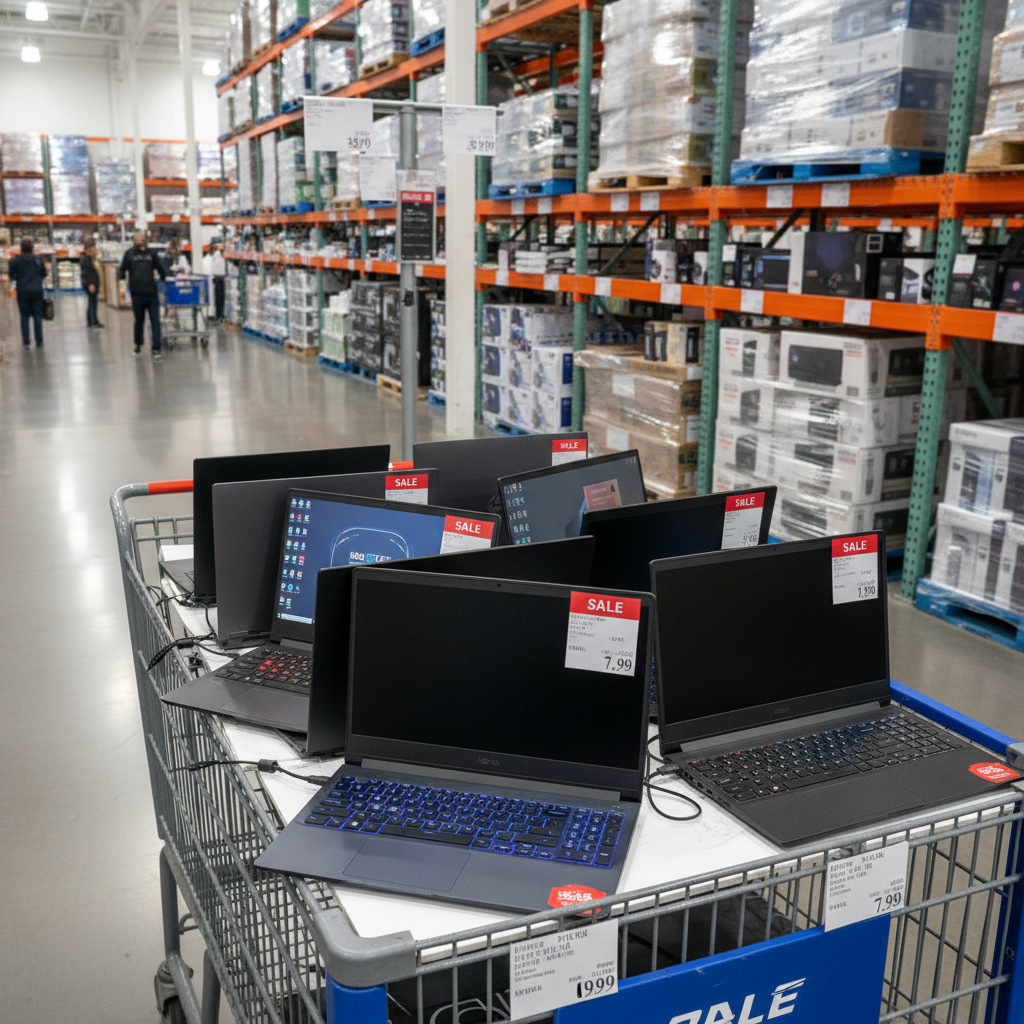
Warehouse shoppers know that some of the best deals aren't advertised in the monthly coupon book. They’re found by walking the aisles and spotting those quiet, unannounced markdowns. Lately, the electronics section has been a hot spot for these discounts, particularly on powerful gaming laptops that offer incredible value for members. These deals often signal that a store is clearing out inventory for newer models, presenting a perfect opportunity for gamers and power users to upgrade for less.
Below, we're highlighting some of the specific gaming laptop models that have been spotted with significant markdowns at Costco warehouses. Keep in mind that inventory and pricing can vary by location, so it's always worth checking your local store.
MSI Katana 15: The Versatile Mid-Range Champion
One of the most frequently marked-down models is the MSI Katana 15. This laptop often hits the sweet spot for a wide range of users, from dedicated gamers to students and creators who need extra horsepower. Typically configured with an Intel Core i7 processor, an NVIDIA GeForce RTX 4060 graphics card, 16GB of DDR5 RAM, and a 1TB NVMe SSD, the Katana 15 is built to handle modern games at 1080p resolution with high settings. Its 15.6-inch display usually features a 144Hz refresh rate, which provides the smooth, fluid motion essential for competitive gaming in titles like Fortnite, Valorant, and Call of Duty.
What makes the markdown on this particular model so compelling is the performance it offers for the price. The RTX 4060 GPU is a significant workhorse, capable of leveraging modern features like DLSS 3 to boost frame rates and deliver a premium gaming experience. When Costco drops the price by a hundred dollars or more, it pushes the Katana 15 into a value category that’s tough to beat. Beyond gaming, its strong processor and fast RAM make it an excellent machine for video editing, graphic design, and heavy multitasking, making it a true do-it-all device for a power user on a budget.
Acer Nitro 17: Big-Screen Immersion for Less
For those who prioritize screen real estate, the Acer Nitro 17 is another model seeing quiet price cuts. As its name suggests, this laptop boasts a large 17.3-inch display, creating a more immersive gaming experience that can almost replace a desktop monitor. Configurations at Costco often pair an AMD Ryzen 7 series processor with an NVIDIA GeForce RTX 4050 GPU. While the RTX 4050 is a step below the 4060, it remains a very capable card for 1080p gaming, especially on a large screen where fluidity is key. The displays on these models are often QHD (1440p) with a high 165Hz refresh rate, offering both sharpness and speed.
The appeal of a marked-down Nitro 17 lies in its large, high-quality screen. Gaming or watching movies on a 17-inch panel is a fundamentally different experience than on a smaller 15-inch laptop. It’s a great choice for users who don't plan to travel with their laptop frequently and will use it primarily as a semi-permanent setup in a dorm room or home office. The combination of a powerful CPU, a capable GPU, and that impressive screen at a clearance price makes it a fantastic entertainment hub that won’t break the bank.
Lenovo Legion Slim 5: Premium Performance in a Sleek Package
Not all gaming laptops have to scream "gamer" with aggressive angles and flashy lights. The Lenovo Legion Slim 5 is a prime example of a machine that blends high-end gaming performance with a more subdued, professional aesthetic. Costco has been known to stock configurations featuring a powerful AMD Ryzen 7 processor, an NVIDIA GeForce RTX 4060 GPU, and often a stunning 16-inch OLED or high-resolution IPS display. The "Slim" moniker points to its relatively thin and light chassis compared to bulkier competitors, making it a more portable option.
When the Legion Slim 5 goes on markdown, it becomes one of the best overall values available. Lenovo is widely praised for its excellent keyboards, robust build quality, and efficient cooling systems. This laptop doesn't just play games well; it's a joy to use for everyday tasks like typing, browsing, and content creation. It's the ideal choice for a student, professional, or creator who needs a powerful computer for work or school but also wants to enjoy high-fidelity gaming in their off-hours. The subtle design allows it to fit perfectly in a boardroom or a classroom, while the hardware inside ensures it can handle any modern game you throw at it.
Understanding Costco's Tech Pricing Strategy
Spotting these deals requires knowing what to look for on the price tag. Costco uses a specific pricing system to signal different types of discounts and inventory statuses. The most common sign of a clearance item is a price ending in .97. This indicates a store-level markdown, meaning the manager has decided to clear out the remaining stock. These deals are often the best you'll find but are highly dependent on your local store's inventory.
Another crucial symbol is the asterisk (*) in the top-right corner of the price sign. Often called the "death star" by avid shoppers, this asterisk means the item will not be restocked once it sells out. If you see a gaming laptop with a price ending in .97 and an asterisk, it's the absolute final clearance price. This combination signals the best possible time to buy if the product fits your needs, as the deal won't be coming back.
Beyond the sticker price, part of the value comes from Costco's included benefits. All laptops come with Costco's Concierge Service, which provides free technical support. More importantly, Costco extends the manufacturer's warranty to a second year, giving you peace of mind at no extra cost. This built-in extended warranty is a significant perk that can save you hundreds of dollars compared to buying a separate protection plan elsewhere.
What to Consider Before You Buy
Navigating the world of gaming laptops involves understanding a few key components. Knowing what they do will help you decide which discounted model is the right fit for your needs.
Decoding the GPU: Is an RTX 4060 Enough?
The Graphics Processing Unit (GPU) is the single most important component for gaming performance. It's responsible for rendering the images, textures, and animations that make up a game world. NVIDIA's RTX 40-series GPUs are the current standard, and the models found in these Costco laptops (RTX 4050, 4060) are very capable.
The GeForce RTX 4060 is widely considered the sweet spot for mainstream gaming. It delivers excellent performance at 1080p resolution, allowing you to play most modern titles at high or ultra settings with smooth frame rates. It also supports key technologies like DLSS 3 (Deep Learning Super Sampling), which uses AI to boost performance significantly without a major loss in visual quality. For the vast majority of gamers, an RTX 4060 is more than enough for a fantastic experience. The RTX 4050 is a solid entry-level option, perfect for esports titles and many AAA games at medium-to-high settings.
Why Display Refresh Rate and Resolution Matter
A powerful GPU is wasted if the display can't keep up. Two specs are crucial here: resolution and refresh rate. Resolution determines the sharpness and clarity of the image (e.g., 1080p, 1440p). Refresh rate, measured in Hertz (Hz), indicates how many times the screen updates per second. The standard for non-gaming laptops is 60Hz, but gaming laptops typically start at 120Hz or 144Hz.
A higher refresh rate results in noticeably smoother motion on screen. This is a game-changer in fast-paced action or shooter games, where fluid visuals can give you a competitive edge by making it easier to track targets. For general use, it simply makes scrolling and moving windows feel much more responsive. A 144Hz or 165Hz display, common on the discounted Costco models, provides an excellent balance of speed and affordability, delivering a premium feel to everything you do.
RAM and Storage: Don't Overlook the Basics
While the GPU and CPU get most of the attention, RAM and storage are vital for a smooth overall experience. RAM (Random Access Memory) is your computer's short-term memory, used for actively running applications. For modern gaming and multitasking, 16GB is the recommended standard. It provides enough headroom to run a game, have a browser with multiple tabs open, and run a chat app like Discord simultaneously without slowdowns.
For storage, a Solid State Drive (SSD) is non-negotiable in a gaming laptop. Specifically, an NVMe SSD offers the fastest read and write speeds, meaning your operating system will boot in seconds and games will load significantly faster than on an old-fashioned hard drive. Given that major game titles can now exceed 100GB in size, a 1TB SSD is a great starting point to ensure you have enough space for your operating system, key applications, and a healthy library of games without constantly needing to uninstall something to make room.
Final Thoughts
Costco's unannounced markdowns on gaming laptops offer some of the best opportunities to get high-performance hardware at a significant discount. By keeping an eye out for models like the MSI Katana, Acer Nitro, and Lenovo Legion, shoppers can find a machine that fits their needs perfectly. Understanding the nuances of Costco's pricing codes and the importance of key components like the GPU, display, and RAM empowers you to recognize a truly great deal and make a purchase with confidence. The combination of clearance pricing and Costco's excellent warranty and return policy makes these quiet deals hard to pass up for any member in the market for a new PC.